
Two free Savings Goal Planner PDFs · No app required
Free Savings Goal Planner PDFs: Choose Your Version
Two useful planners, two layouts. See the real PDF pages below, choose the one you prefer, and download your free copy. Plan one savings goal, make realistic contributions, and track your progress.
For automatic PDF calculations, where supported, use Adobe Acrobat Reader.
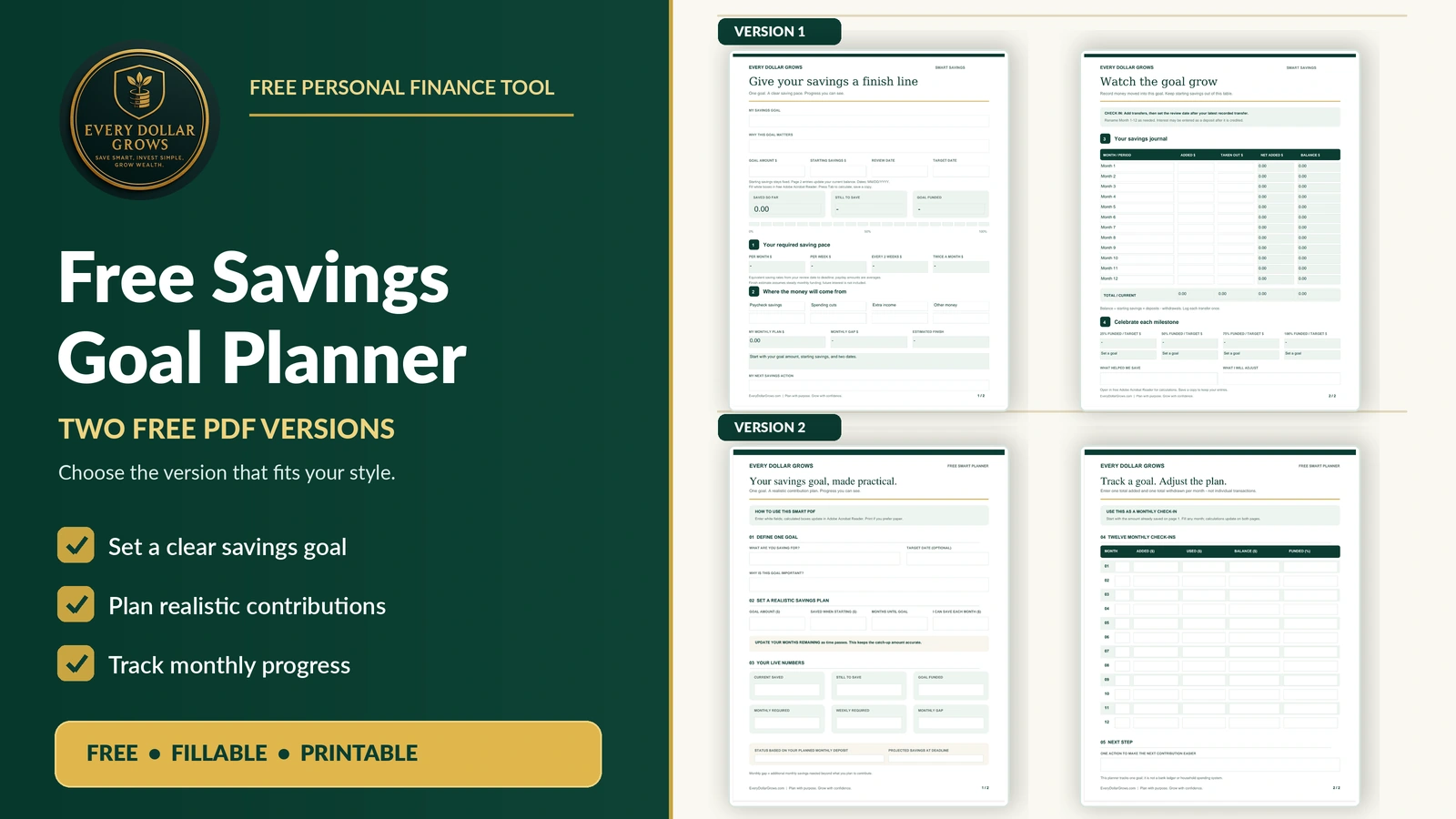
Compare the actual PDF pages
Choose Your Free Savings Planner
These are real screenshots of the four planner pages, not illustrations. Click any image to see it at full size, or open the PDF directly to use the planner.
Savings Goal Planner — Version 1
A goal-setting and savings-journal layout. Click either page to enlarge it.
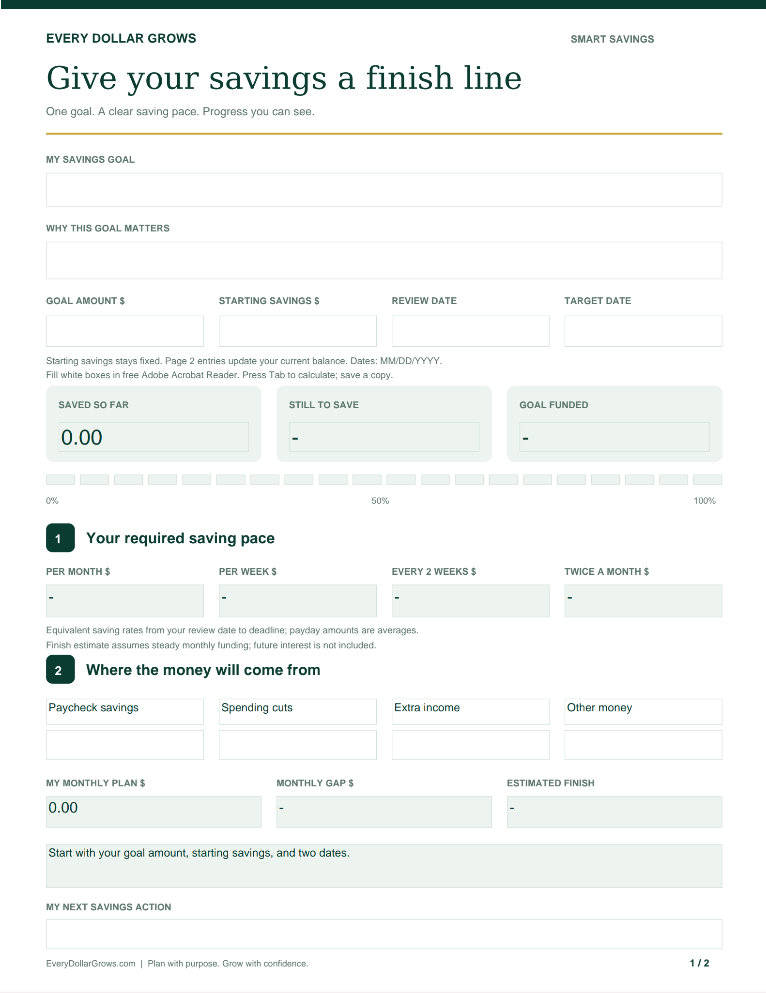
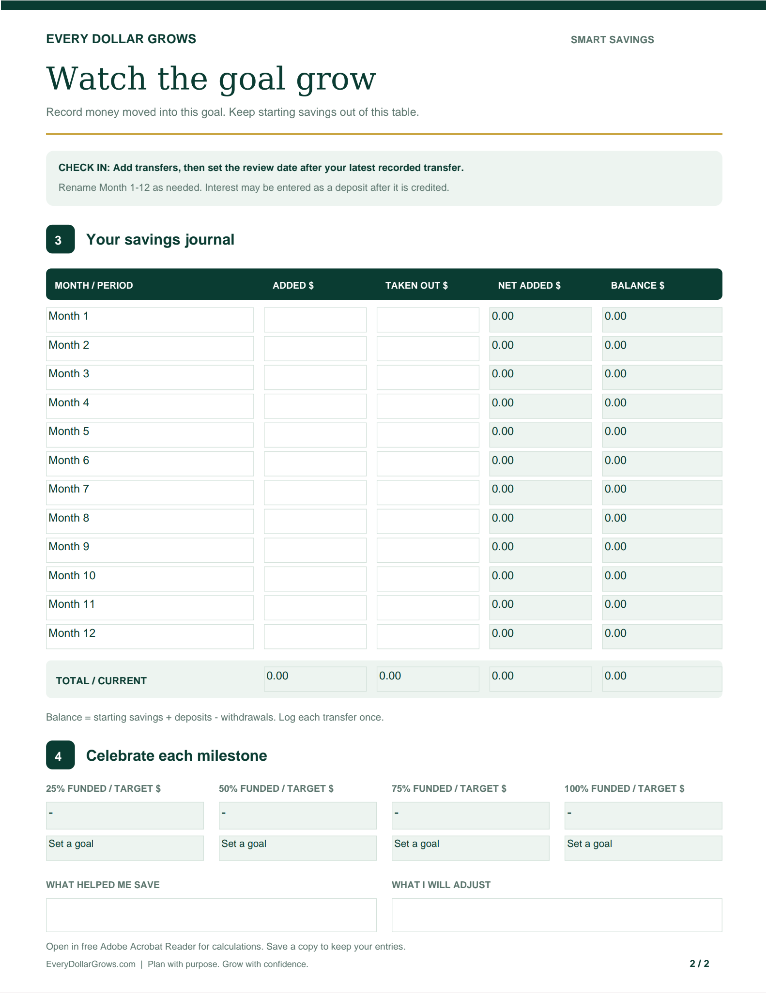
Opens the complete original PDF, with both pages and viewer controls.
Savings Goal Planner — Version 2
An alternate goal-planning and monthly check-in layout. Click either page to enlarge.
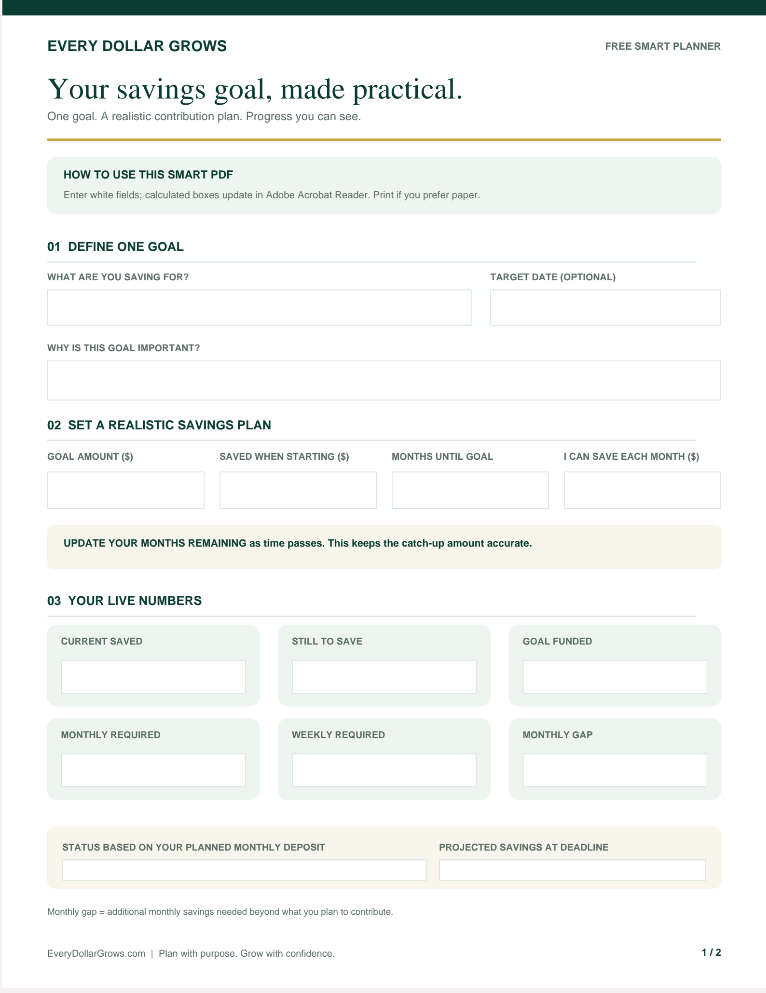
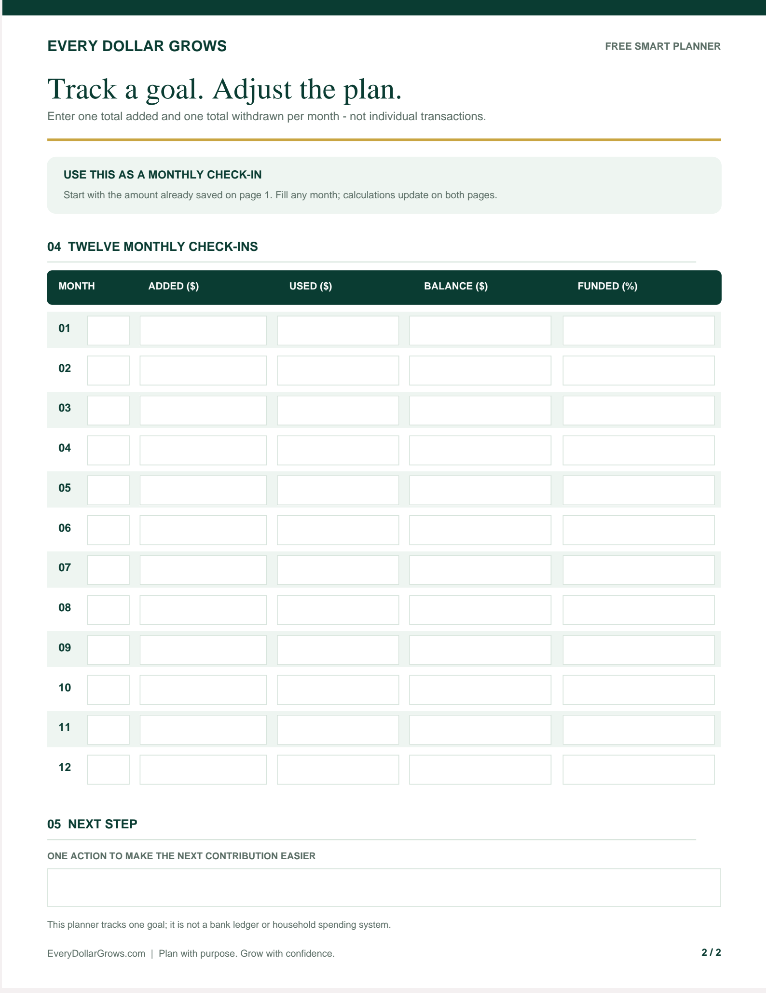
Opens the complete alternate PDF, with both pages and viewer controls.
You can view both versions before choosing. Each thumbnail links to the exact PNG screenshot you uploaded.
Optional PDF previews
Want to Browse the Complete PDFs Here?
The thumbnails above let you inspect each page. You can also expand the complete PDFs below without leaving this page.
Expand Complete Version 1 PDF
Embedded PDF viewing depends on browser support.
Expand Complete Version 2 PDF
Embedded PDF viewing depends on browser support.
A realistic contribution plan
Make the Goal Fit Your Real Budget
A target alone doesn’t tell you whether the goal is realistic. A clear contribution calculation helps you decide what you need to save.
Example: Save $3,000
Suppose you’ve already saved $500 and want to reach $3,000 in 10 months.
Record a $3,000 target, $500 already saved, and 10 months remaining. Compare what you need to save with what your real budget allows.
If $200 per month is realistic, you can see the shortfall before committing to the deadline.
Four simple steps
How to Use Either Savings Planner
Choose One Goal
Give the goal a name and a reason. Examples include emergency savings, car repairs, vacations, home projects, or down payments.
Enter the Starting Numbers
Enter your savings goal, the amount already saved, your intended deadline, and the contribution you believe is realistic.
Check the Savings Plan
Subtract current savings from your goal. Divide by the months remaining to estimate a monthly target. Adobe Acrobat Reader can run calculations where supported by the PDF.
Track Monthly Progress
Update the savings tracker as you add or withdraw money. Revisit the deadline or contribution when circumstances change.
Choose the right level of help
Free for One Goal. More Tools When You Need Them.
Both Savings Goal Planners are free. Paid products solve larger financial problems; they do not unlock hidden portions of these PDFs.
When Saving Becomes Part of a Bigger Money Problem
Use the free planners for an individual savings goal. When you need to find room in your budget, organize several trips, or connect your complete financial picture, EDG offers other purpose-built tools.
Budget Review
Identify household budget pressure points and decide what to improve to make more room for saving.
Explore Budget Review →Vacation Envelope™
Organize separate vacation budgets and spending across multiple trips.
Explore Vacation Envelope →Money Reset OS
Connect your budgeting, transactions, rollover envelopes, savings, debt, investments, assets, and net worth.
Explore Money Reset OS →Questions answered
Free Savings Goal Planner FAQ
Are both versions really free?
Yes. Both PDFs are free to open, download, print, and use for personal savings planning.
Which version should I choose?
Compare the four actual page screenshots above and choose the layout you prefer. Both versions are available free.
Are these images actual PDF screenshots?
Yes. The four individual preview images are screenshots of the planner pages. Click each thumbnail to view the original full-size screenshot.
Do I need an app?
No. Both planners are PDF documents. They do not require an EDG savings app, bank connection, or account.
Can I open the full PDF?
Yes. Each version has a Full PDF button that opens the complete document in a new browser tab. You can zoom, print, or save the PDF using your browser or PDF viewer.
Will calculations work in my browser?
PDF viewers differ in their support for automatic calculations. Adobe Acrobat Reader generally offers more complete support for interactive PDF forms. You can also print and complete the planners manually.
Can I use these for emergency savings, a vacation, a vehicle, or a home?
Yes. Use either planner for a clearly defined savings target. You can keep separate copies for separate goals.
What if my monthly contribution is too high?
Consider extending the deadline, setting a smaller milestone, or reviewing your household budget. Choose a plan that works with your actual financial circumstances.
Do the PDFs transfer money?
No. These are planning resources, not banking tools. Make transfers through your bank and record progress in the PDF.
Keep learning
Build a Savings Habit That Lasts
Two versions · Both free
Choose the Planner You’ll Actually Use.
Compare the screenshots, open either complete PDF, and choose the one that helps you stay consistent with your savings goal.
Both planners are free. No subscription, bank connection, or paid upgrade required.